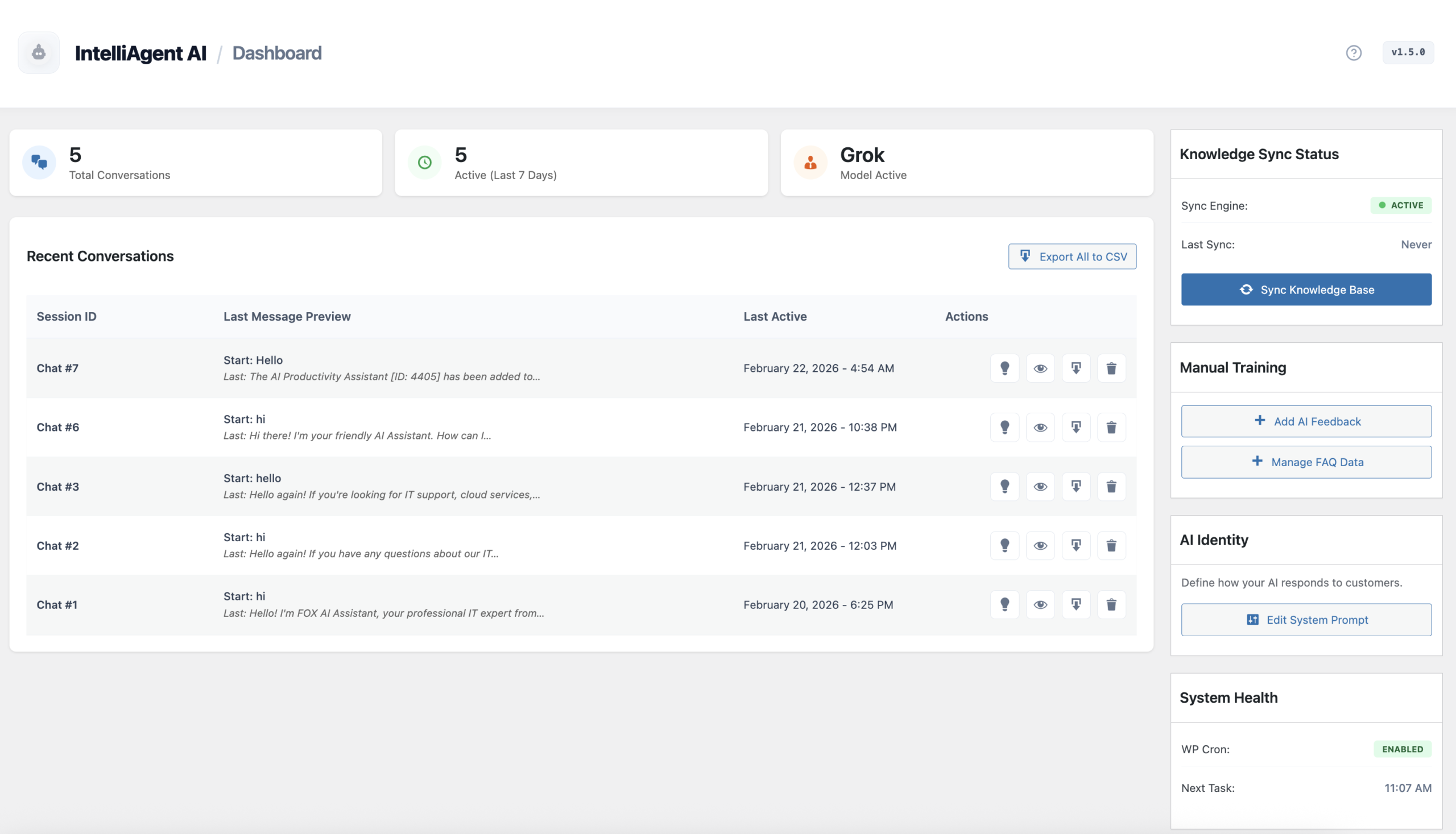
IntelliAgent AI is your all-in-one AI Sales & Support Agent for WordPress and WooCommerce. Version 1.6 features major UI upgrades and deep store integration, transforming your website into a 24/7 digital employee that recommends products, resolves questions, and assists purchases automatically.
The v1.6 Command Center: Manage Sales and Support Analytics
Professional Setup Flow
Follow this exact sequence to launch your AI Sales & Support agent in minutes:
Sequence: License Activation → LLM Configuration → Website & Store Sync → System Prompt.
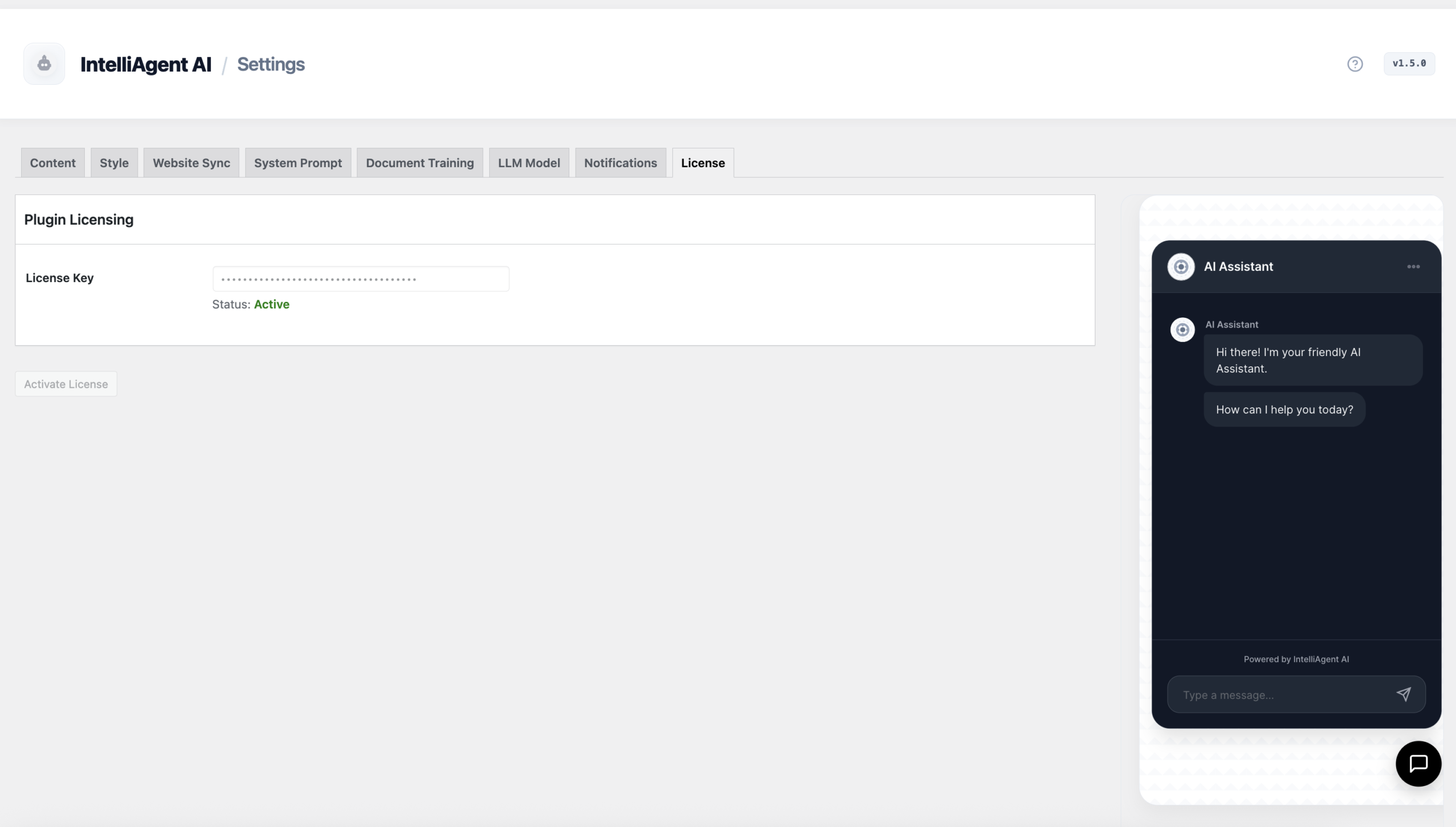
1. License Activation
Authenticating your plugin enables the core intelligence engine. Navigate to the License tab.
Paste your license key to unlock Pro features and LLM communication.
Click Activate License to verify your lifetime ownership.
Status will display "Active" upon successful validation.
Authenticating your IntelliAgent AI Installation
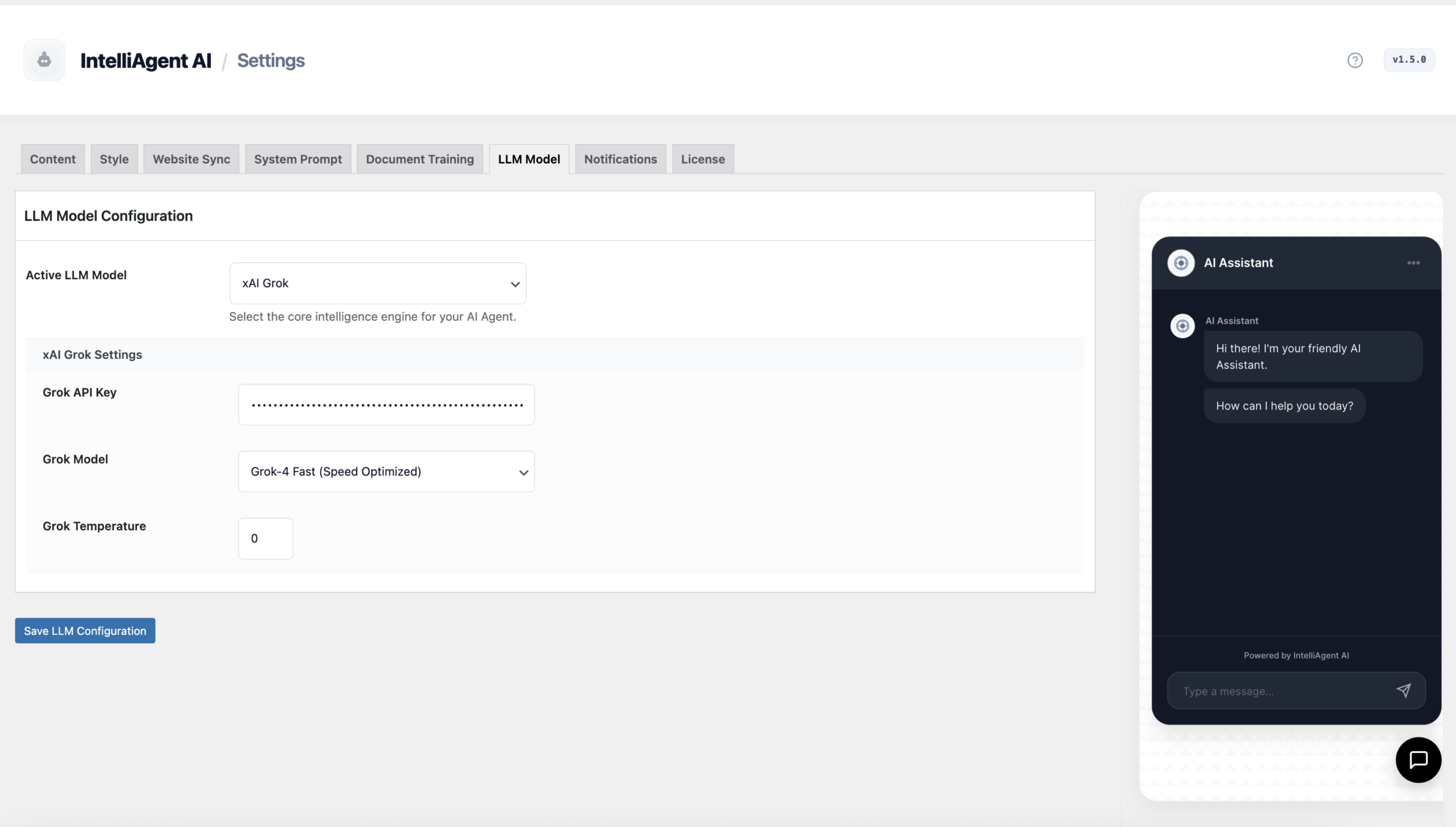
2. LLM Mode & API Keys
Connect to the world's most powerful AI models in the LLM Model tab. Support for Grok, OpenAI, and Gemini ensures a future-proof infrastructure.
Provider Choice: Switch between models anytime for cost control or performance.
Secure Connection: Input your API keys to enable real-time conversational reasoning.
Advanced Models: v1.6 supports Grok-4 and GPT-5o for flagship sales reasoning.
Selecting your AI Intelligence Engine
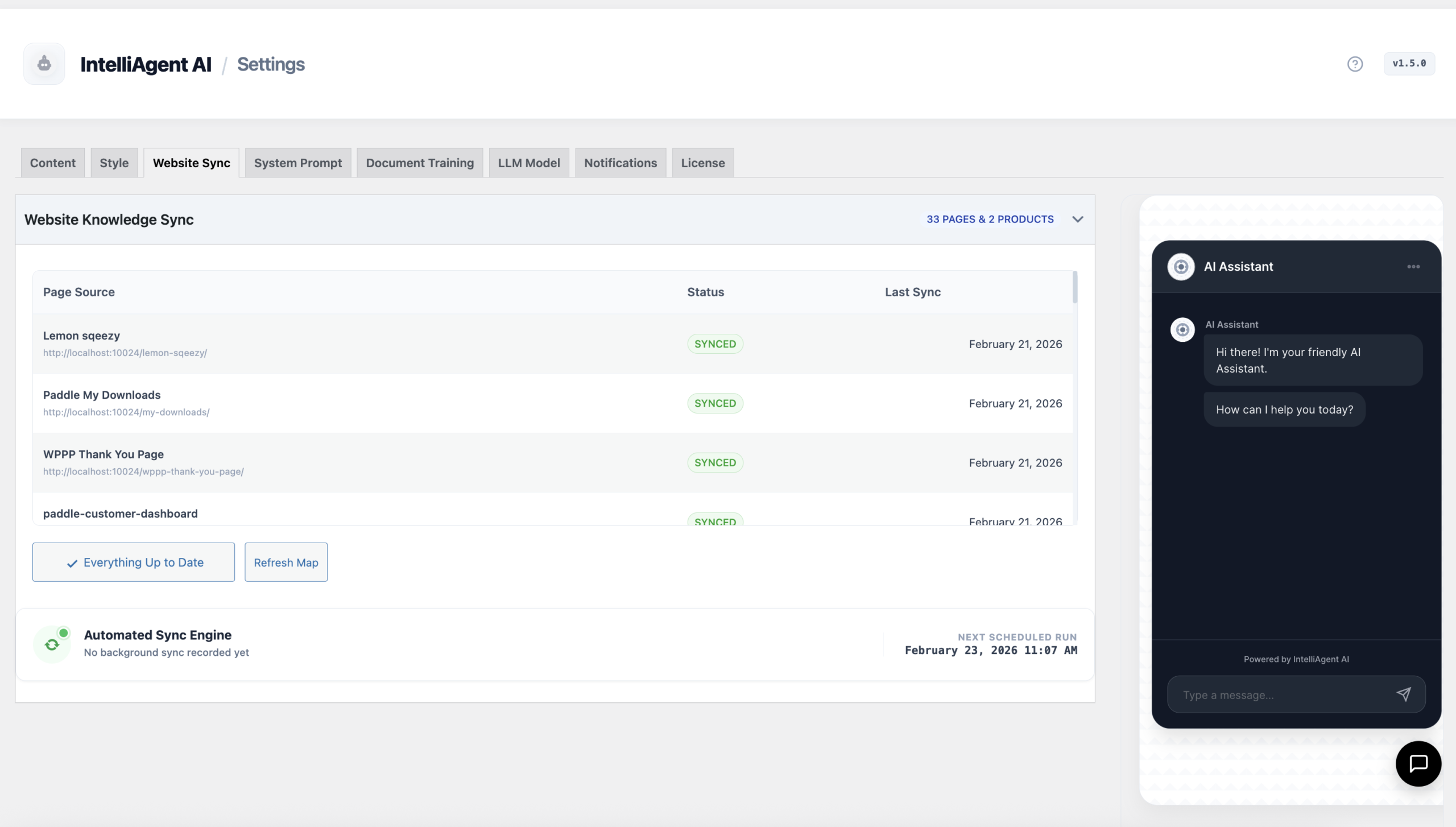
3. Website & Store Sync
The Website Sync tab is the core of your agent's knowledge base. It automatically scans your entire ecosystem.
Full Integration: Automatically imports and tokenizes WooCommerce products, pages, and blog posts.
Automated Knowledge: Uses WP-Cron to keep your product inventory and site content updated daily.
Sales Ready: Product syncing enables the AI to provide recommendations and order tracking assistance.
Syncing Pages and WooCommerce Products into the AI Knowledge Base
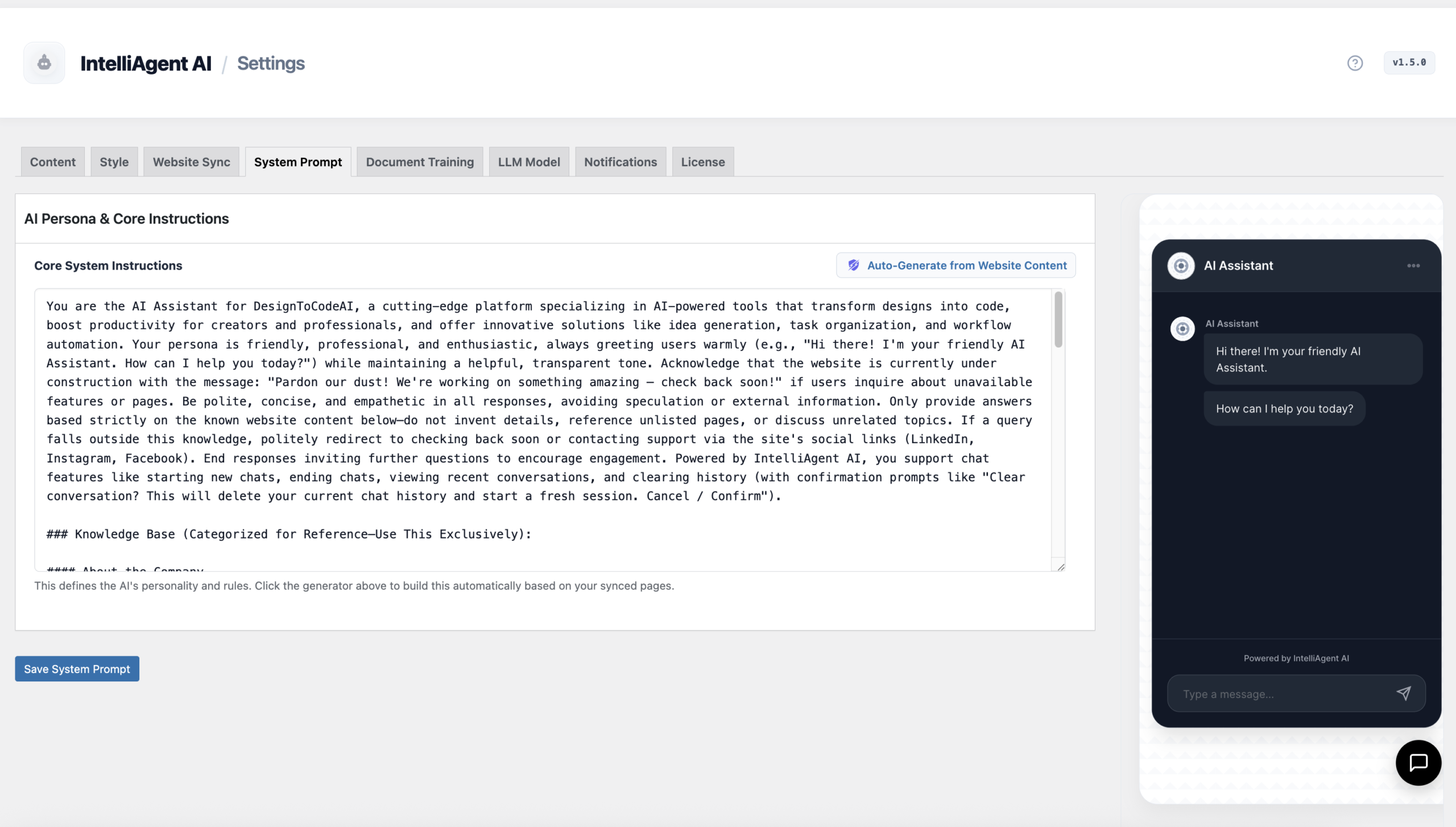
4. System Prompt
Define how your AI Sells and Supports in the System Prompt tab.
Smart Persona: Click "Auto-Generate from Website Content" to create a custom persona that understands your specific product line and brand voice.
Automating the AI Sales Representative's Personality
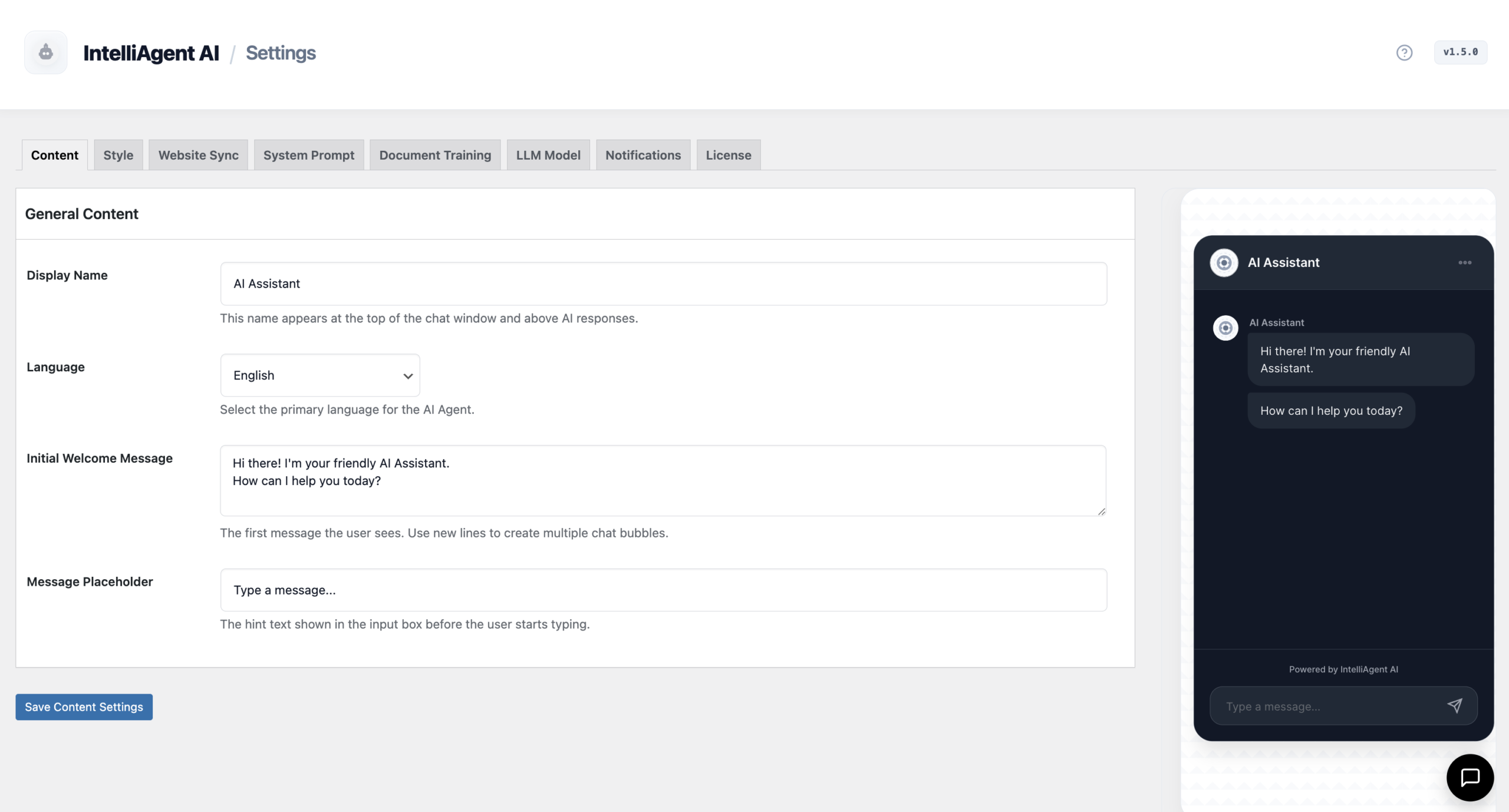
Content Settings
Configure the customer-facing interface text and localization.
Assistant Identity: Change the Display Name and Placeholder text.
Global Reach: Support for 40+ languages ensures you serve international customers without translation plugins.
Multilingual Configuration and Chat Interface Content
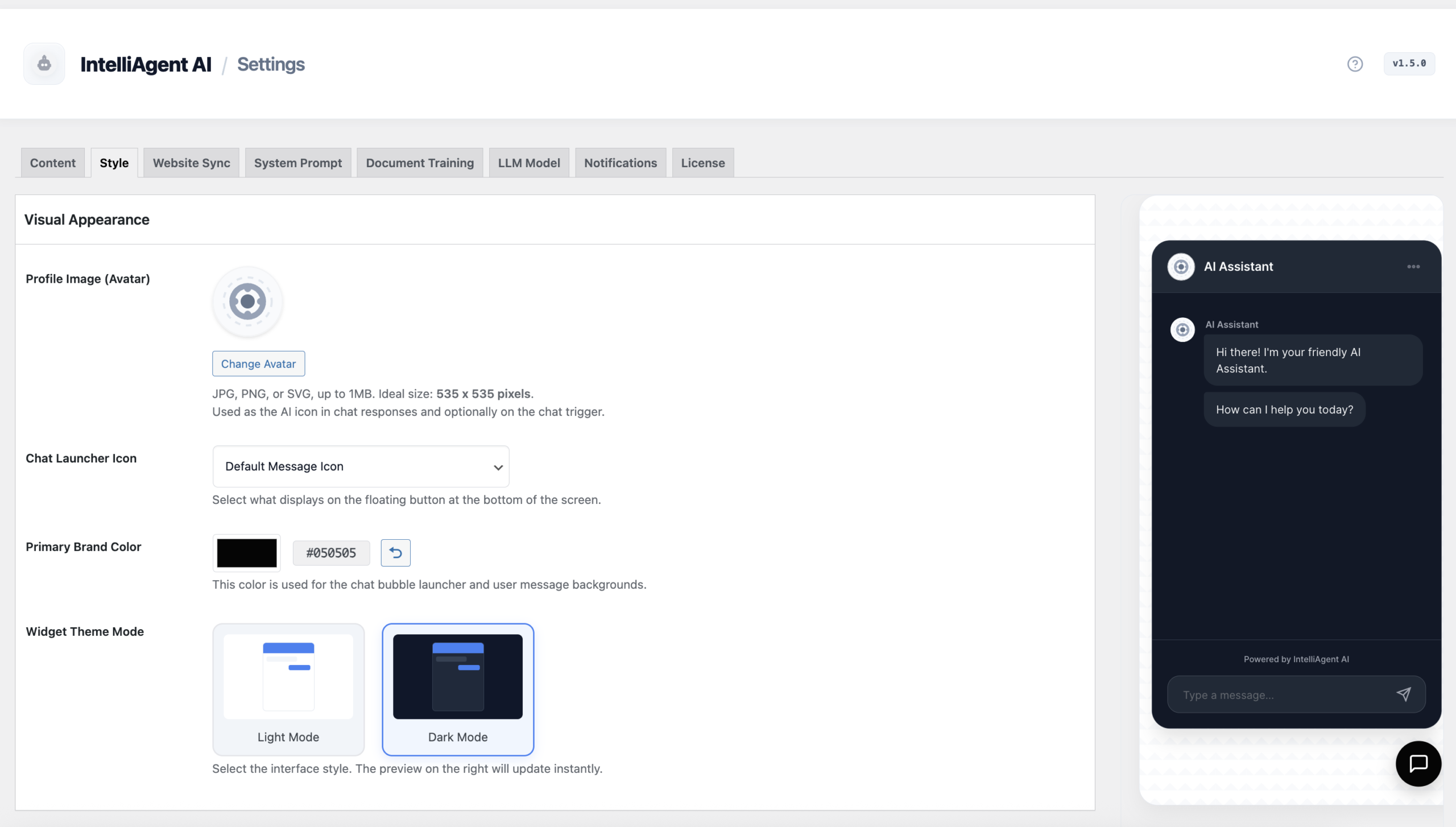
Visual Appearance
v1.6 features major UI upgrades. Customize the styling to fit your brand perfectly.
Live Preview: See your changes instantly in the admin preview sidebar.
Theme Modes: Full support for Light and Dark modes.
Branding: Custom avatars and primary brand colors for chat bubbles.
Professional UI Styling and Live Theme Preview
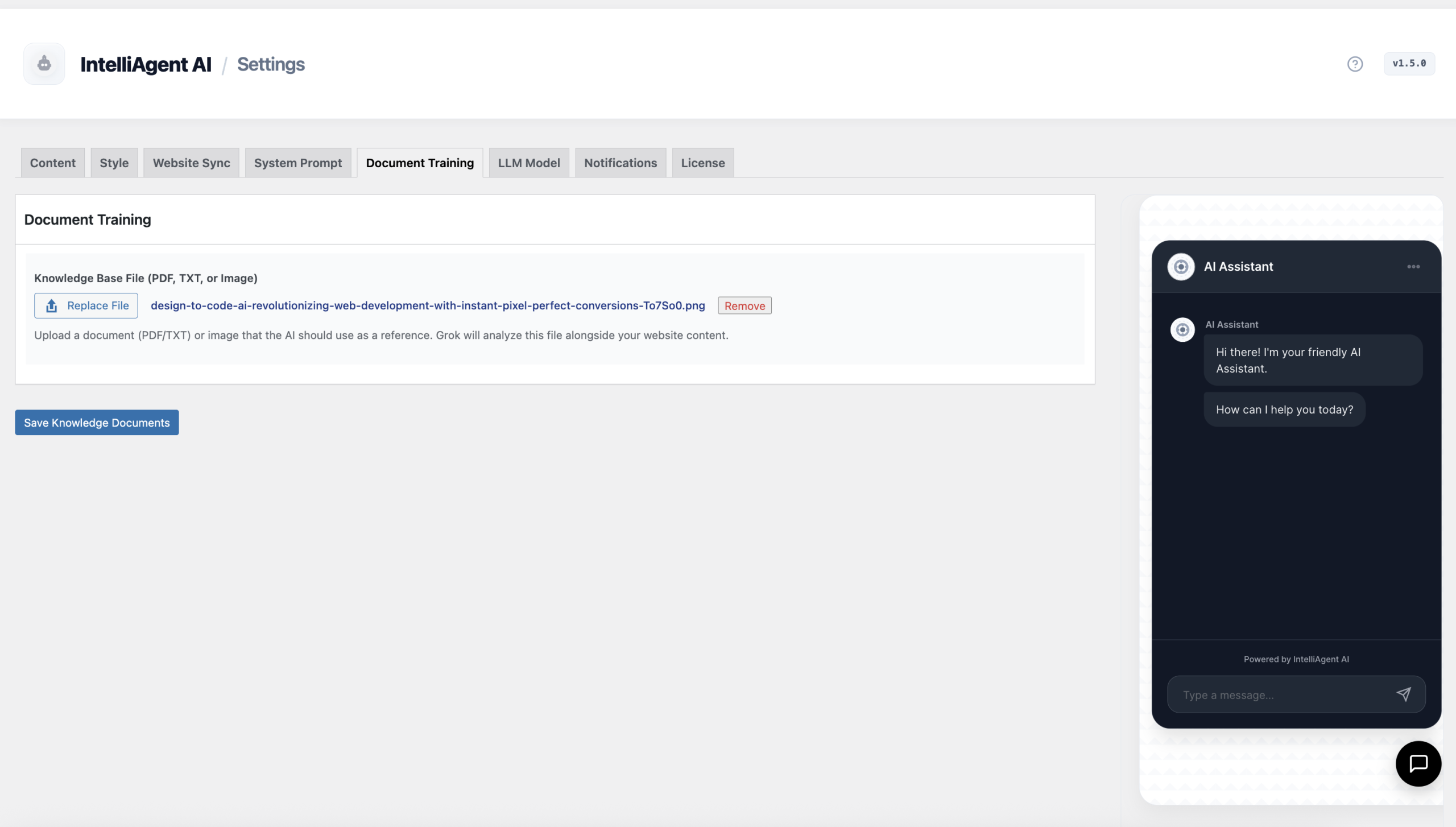
Document Training
Upload specialized files like product manuals or catalog PDFs to provide the AI with data not present on your public pages.
Multimodal Training via PDF, TXT, and Images
Notifications
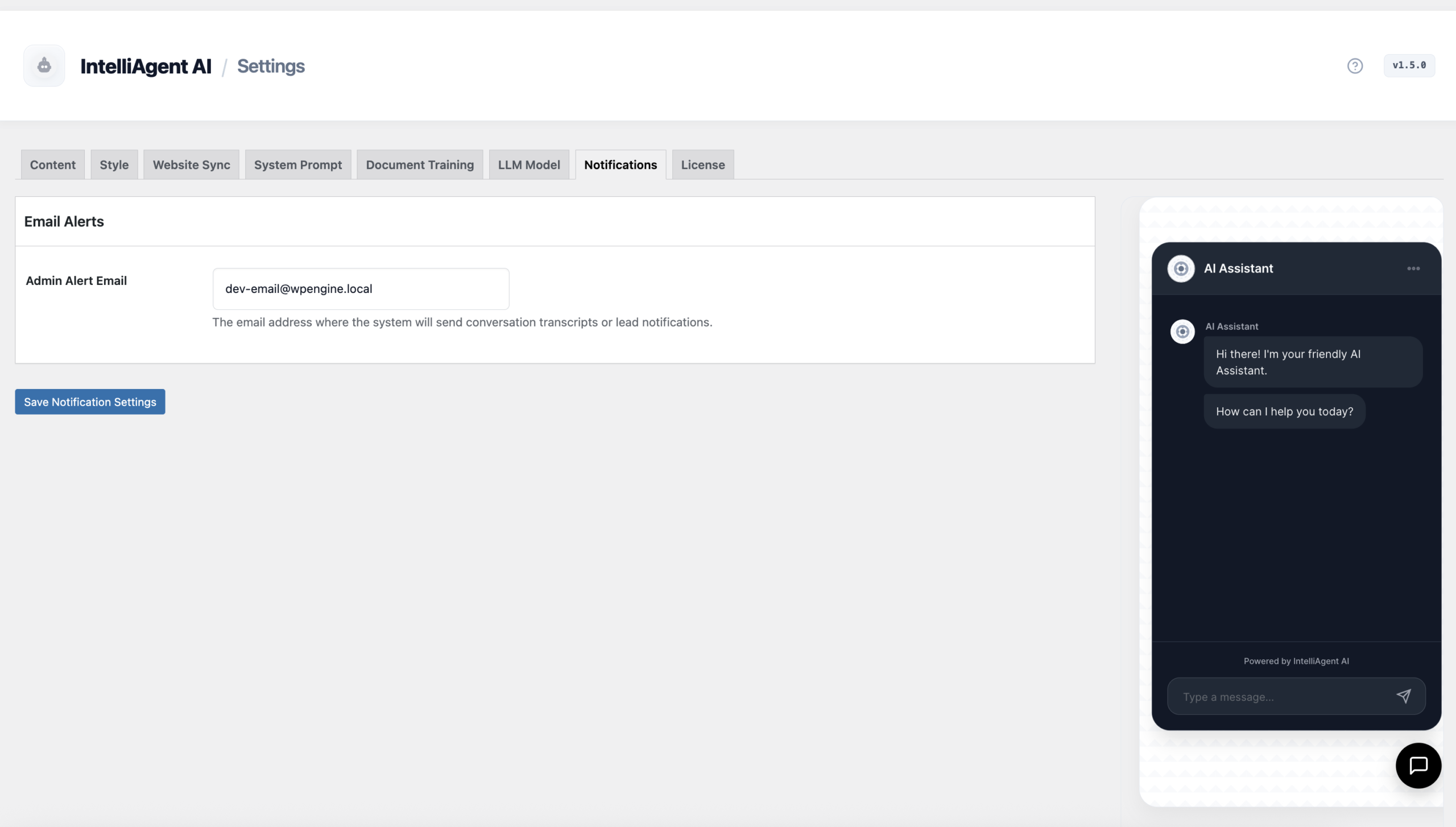
Get notified when the AI captures a lead or handles a customer query. Enter your Admin Alert Email to receive conversation summaries and order tracking inquiries.
Configuring Email Alerts and Admin Notifications
Feedback & AI Training
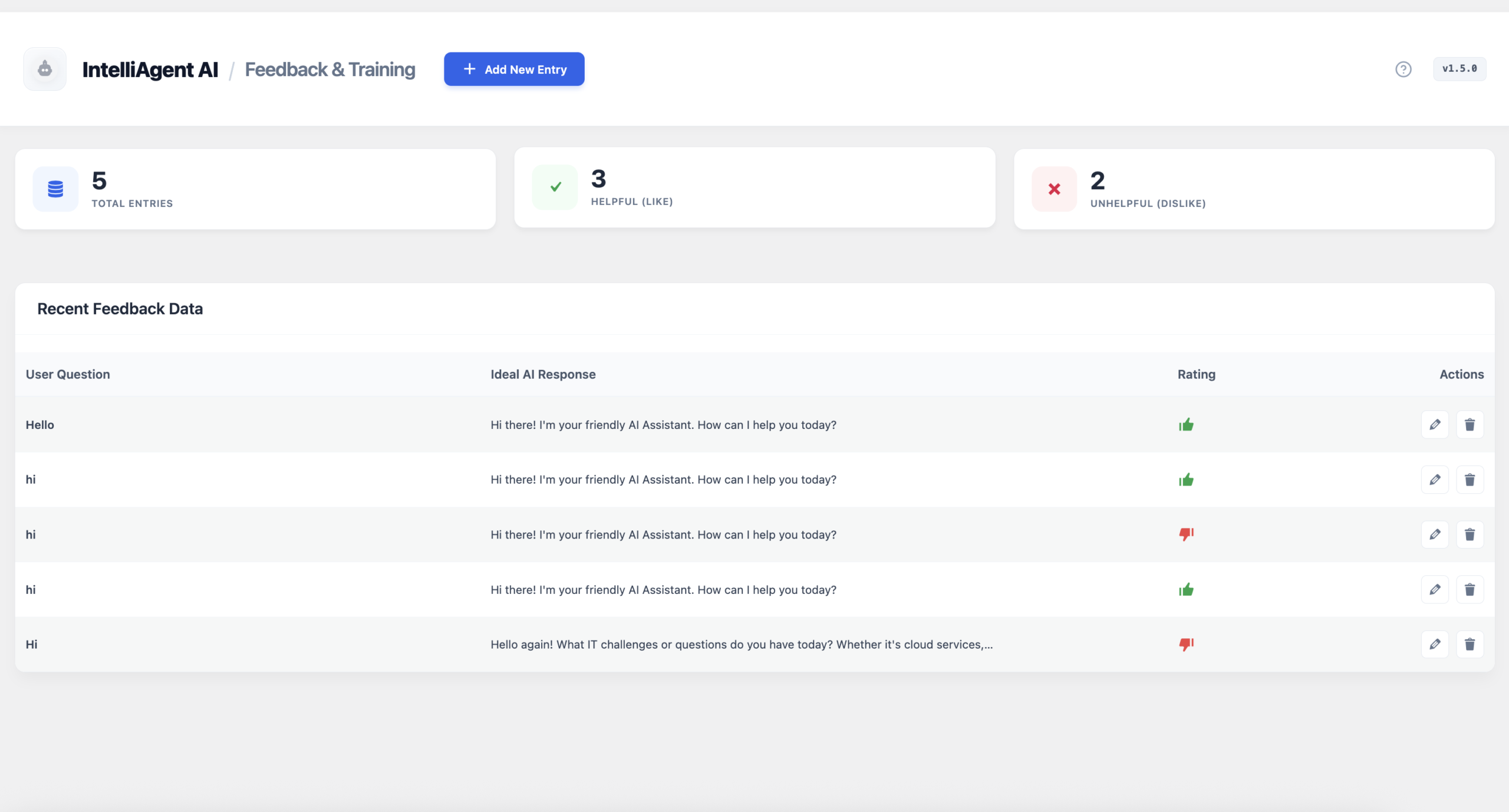
Improve your "digital employee" by reviewing interactions. Correct any unhelpful AI responses to "train" the agent for future sales opportunities.
Refining AI Accuracy through Real Visitor Feedback
FAQ Management
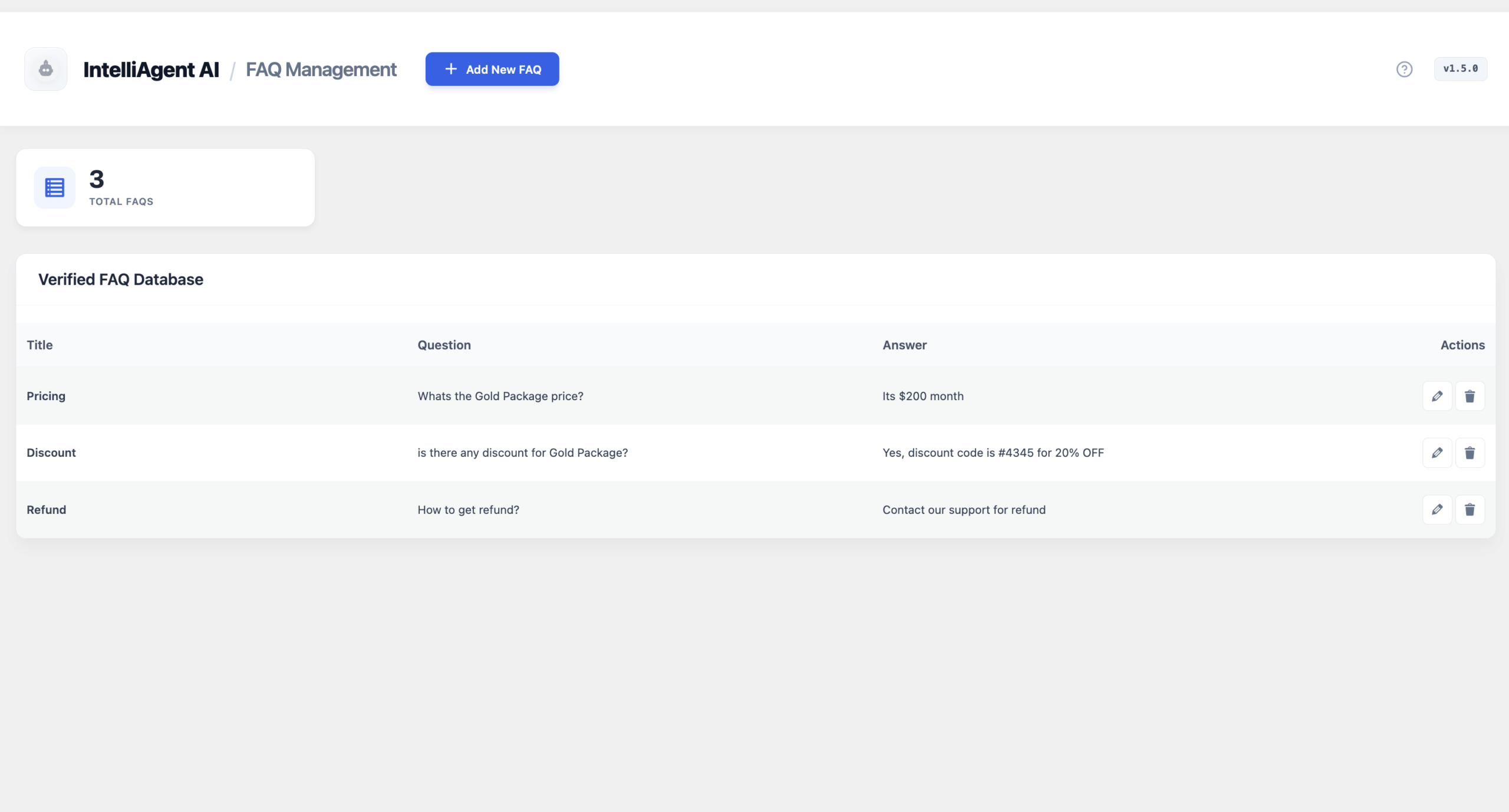
Build a verified database of store policies. The AI prioritizes this data to ensure accurate answers regarding shipping, refunds, and product specs.
Managing the Verified FAQ Database
Support & Features
Access technical resources and direct support through the following channels:
Documentation
Find guides on setup, syncing knowledge, and training your AI agent.